Light
The Light Component attaches a dynamic light source to the Entity. The 'Type' property determines what kind of light is attached and what other properties are available.
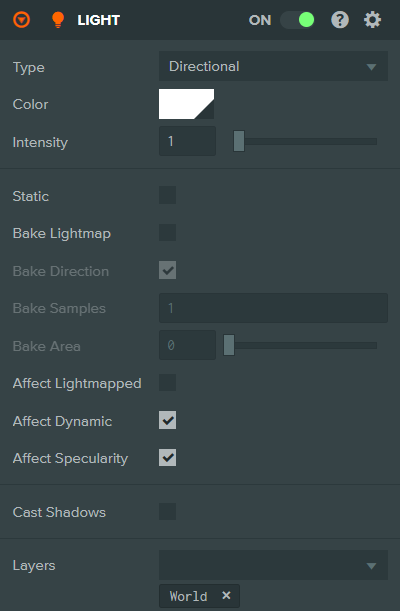
Directional
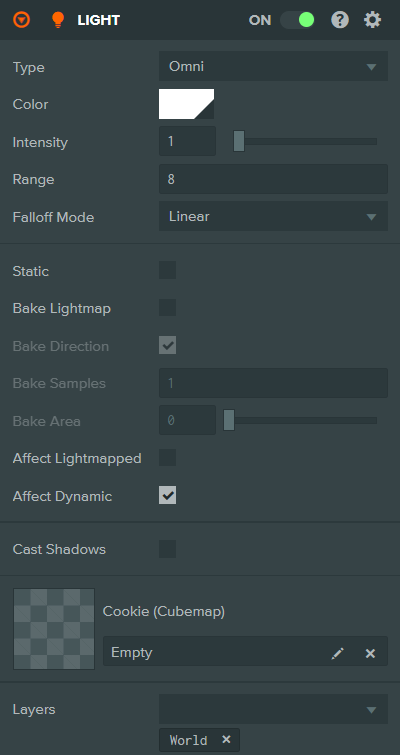
Omni
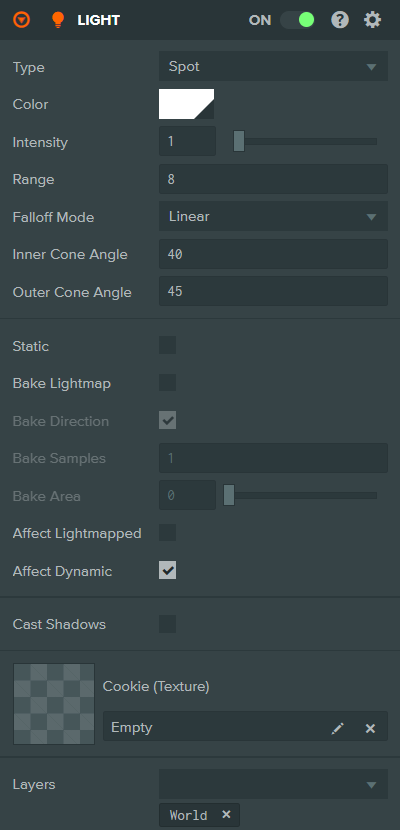
Spot
Properties
| Property | Description |
|---|---|
| Type | The type of light. Options are: Directional (uniform direction), Spot (cone from a point), Omni (all directions from a point). |
| Color | The color of the emitted light. |
| Intensity | The intensity of the light, acts as a scalar value for the light's color. Range is 0 to 32. |
| Range | Omni and Spot only. The distance from the light source at which its contribution falls to zero. |
| Falloff Mode | Omni and Spot only. Controls the rate at which a light attenuates from its position. Options are: Linear, Inverse Squared. |
| Inner Cone Angle | Spot only. The angle in degrees from the spotlight direction at which the light starts to fall off. |
| Outer Cone Angle | Spot only. The angle in degrees from the spotlight direction at which the light falls to zero. |
| Shape | The shape of the light source for area lighting. Options are: Punctual, Rectangle, Disk, Sphere. Only available when area lights are enabled in render settings. |
Lightmap Properties
| Property | Description |
|---|---|
| Static | Mark this light as non-moving for optimization purposes. |
| Bake Lightmap | Enable lightmap baking from this light. |
| Bake Direction | Include directional information in baked lightmaps. |
| Bake Samples | The number of samples used when baking lightmaps. Range is 1 to 255. |
| Bake Area | The spread angle for baking soft shadows. Range is 0 to 180 degrees. |
| Affect Lightmapped | If enabled, this light will affect lightmapped objects at runtime. |
| Affect Dynamic | If enabled, this light will affect non-lightmapped (dynamic) objects. |
| Affect Specularity | Directional only. If enabled, this light contributes to specular reflections on materials. |
Shadow Properties
| Property | Description |
|---|---|
| Cast Shadows | If enabled, the light will cause shadow casting models to cast shadows. |
| Shadow Update Mode | When the shadowmap is updated. Options are: Once (generated once), Realtime (updated every frame). |
| Resolution | The resolution of the shadowmap. Options range from 16x16 to 4096x4096. Higher values produce more accurate shadows at the cost of performance. |
| Cascades | Directional only. The number of shadow cascades. Options are: 1, 2, 3, 4. More cascades provide better shadow quality at different distances. |
| Cascade Distribution | Directional only. Controls how the shadow cascades are distributed. Range is 0 to 1. Only shown when Cascades is greater than 1. |
| Distance | The maximum distance from the camera beyond which shadows are no longer visible. |
| Shadow Intensity | The darkness of the shadows. Range is 0 (no shadow) to 1 (fully dark). |
| Shadow Type | The shadow mapping algorithm. Options are: Shadow Map PCF 1x1, Shadow Map PCF 3x3, Shadow Map PCF 5x5, Variance Shadow Map (16bit), Variance Shadow Map (32bit). |
| VSM Blur Mode | VSM only. The blur algorithm for variance shadow maps. Options are: Box, Gaussian. |
| VSM Blur Size | VSM only. The size of the blur kernel. Range is 1 to 25. |
| VSM Bias | VSM only. Bias value to reduce shadow artifacts. |
| Shadow Bias | PCF only. Bias value to reduce shadow acne artifacts. |
| Normal Offset Bias | PCF only. Offset along normals to reduce peter-panning artifacts. |
Cookie Properties
| Property | Description |
|---|---|
| Cookie | Omni and Spot only. A texture asset (or cubemap for Omni) to be projected from the light. |
| Cookie Intensity | The strength of the cookie texture. Range is 0 to 1. |
| Cookie Angle | Spot only. The rotation angle of the cookie texture in degrees. |
| Cookie Offset | Spot only. The UV offset of the cookie texture. |
| Cookie Scale | Spot only. The UV scale of the cookie texture. |
| Cookie Falloff | Spot only. If enabled, applies the spotlight falloff to the cookie. |
| Cookie Channel | The texture channel(s) to use for the cookie. Options are: R, G, B, A, RGB. |
Other Properties
| Property | Description |
|---|---|
| Layers | The layers that this light will affect. |
See Also
- Lighting - Learn more about lighting
Scripting Interface
You can control a Light Component's properties using a Script Component. The Light Component's scripting interface is here.