Collision
The Collision Component assigns a collision volume to the entity. The component interface dynamically displays different attributes based on the 'Type' attribute.
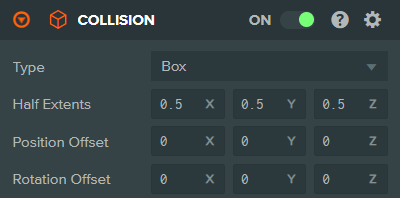
Box
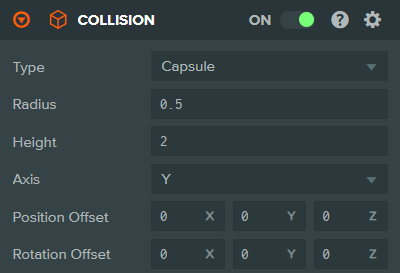
Capsule
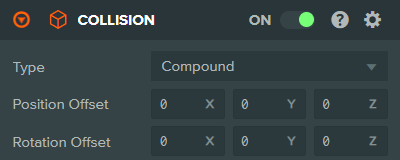
Compound
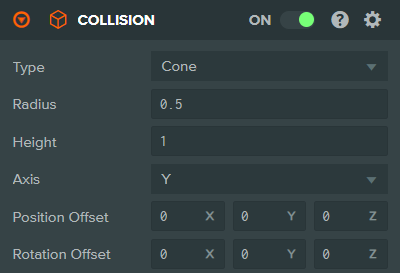
Cone
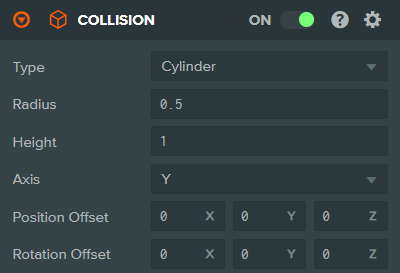
Cylinder
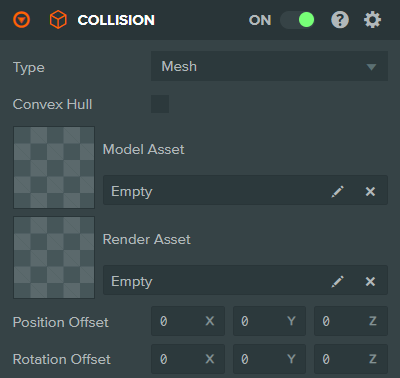
Mesh
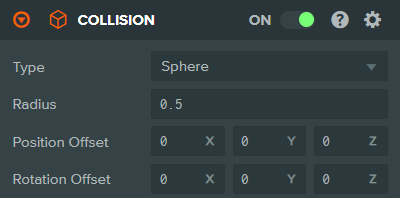
Sphere
If the entity also has a Rigid Body Component, the Collision Component determines the shape of the rigid body. If no Rigid Body Component is present, the Collision Component is treated as a trigger volume. The trigger volume cannot affect the simulation of other rigid bodies in the scene. Instead, you can add a Script Component and attach a script which responds to trigger events. For example, if another entity that has a Rigid Body Component enters or exits the trigger, your script can be notified.
Properties
| Property | Description |
|---|---|
| Type | The type of collision primitive. Can be: Box, Sphere, Capsule, Cylinder, Cone, Mesh, or Compound. |
| Half Extents | Box only. The half-extents of the collision box. This is a 3-dimensional vector: local space half-width, half-height, and half-depth. |
| Radius | Sphere, Capsule, Cylinder, and Cone only. The radius of the collision shape. |
| Height | Capsule, Cylinder, and Cone only. The height of the collision shape along the selected axis. |
| Axis | Capsule, Cylinder, and Cone only. Aligns the collision shape with the local-space X, Y, or Z axis of the entity. |
| Convex Hull | Mesh only. If enabled, the collision mesh will be treated as a convex hull, which is more efficient for dynamic rigid bodies. If disabled, the mesh is used as a triangle mesh (concave), which only works with static or kinematic rigid bodies. |
| Model Asset | Mesh only. The model asset that will be used as a source for the collision mesh. Either a Model Asset or Render Asset can be specified, but not both. |
| Render Asset | Mesh only. The render asset that will be used as a source for the collision mesh. Either a Model Asset or Render Asset can be specified, but not both. |
| Position Offset | The positional offset of the collision shape relative to the entity's position. |
| Rotation Offset | The rotational offset of the collision shape relative to the entity's rotation, specified in degrees. |
See Also
- Rigid Body Component - Add physics simulation to the entity
- Physics - Learn more about the physics system
Scripting Interface
You can control a Collision Component's properties using a Script Component. The Collision Component's scripting interface is here.