Shader
A Shader asset contains GLSL code for custom rendering effects. You can create a new Shader asset by clicking New Shader in the Asset Panel or by uploading a file with an extension of .vert, .frag, or .glsl.
To edit a Shader asset, right click on it in the Editor and select Edit.
Inspector
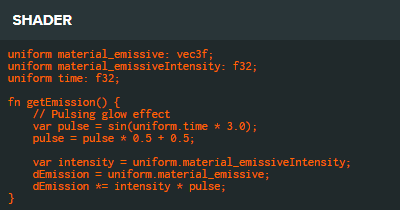
The Shader asset inspector displays a preview of the GLSL shader code contained in the asset.
Properties
This asset type has no configurable properties in the Inspector. It displays a read-only preview of the shader code.
tip
To use this asset in scripts, see Asset Attributes.