Material
A Material asset defines the visual appearance of a surface when rendered. PlayCanvas uses physically based rendering (PBR) to create realistic materials that respond correctly to lighting. Materials can represent a wide range of surfaces, from smooth plastic to rough wood to shiny metal.
Inspector
You can select a Material asset in the Assets Panel and view it in the Inspector.
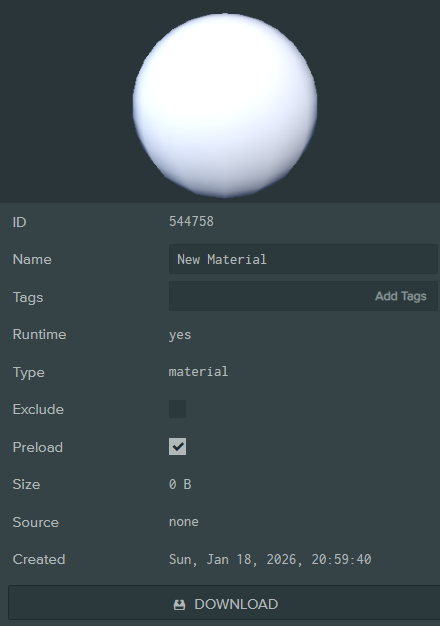
The Material Inspector is organized into collapsible sections, each controlling different aspects of the material's appearance.
Texture Transform
Controls UV offset, tiling, and rotation for all texture maps.
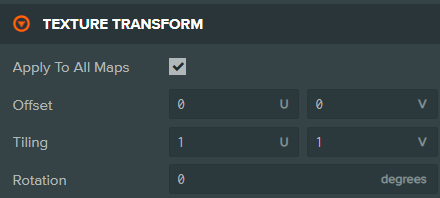
| Property | Description |
|---|---|
| Apply To All Maps | When enabled, the offset, tiling, and rotation values below apply to all texture maps in the material. When disabled, each map can have its own transform settings. |
| Offset | The UV offset to apply to texture maps (U, V). |
| Tiling | The UV scale/tiling to apply to texture maps (U, V). |
| Rotation | The rotation angle (in degrees) to apply to texture maps. |
Ambient
Controls how the material responds to ambient lighting and ambient occlusion.
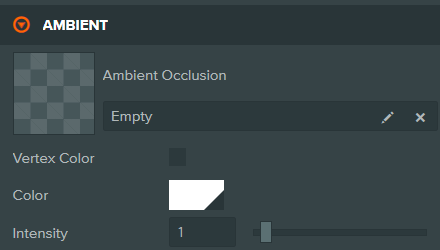
| Property | Description |
|---|---|
| Ambient Occlusion | A texture containing pre-baked ambient occlusion data. Darker areas receive less ambient light. |
| UV Channel | The UV set used to sample the AO texture (UV0 or UV1). |
| Color Channel | Which texture channel to read the AO value from (R, G, B, or A). |
| Occlude Specular | Controls how AO affects specular reflections: Off, Multiply, or Gloss Based. |
| Vertex Color | Use vertex colors for ambient occlusion instead of a texture. |
| Color | The ambient tint color multiplied with the scene's global ambient color. |
| Intensity | Strength of the ambient occlusion effect (0-1). |
Diffuse
Controls the base color of the material when lit by dynamic light sources.

| Property | Description |
|---|---|
| Diffuse | The diffuse/albedo texture defining per-pixel color. |
| UV Channel | The UV set used to sample the diffuse texture (UV0 or UV1). |
| Color Channel | Which texture channels to read (R, G, B, A, or RGB). |
| Vertex Color | Use vertex colors for diffuse instead of a texture. |
| Color | The diffuse color. If a texture is set, this tints the texture. |
Specular
Controls the specular highlights and reflectivity of the material. The Specular section supports two workflows: Metalness and Specular.
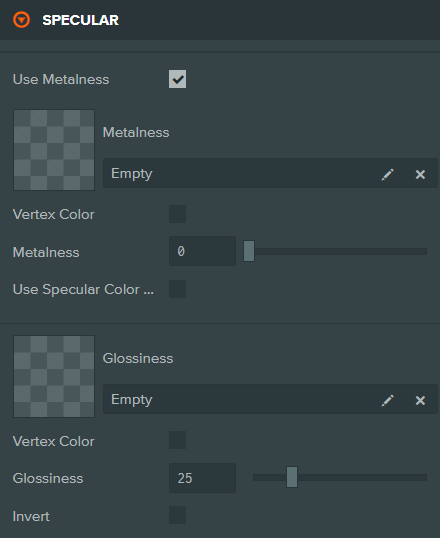
Common Properties
| Property | Description |
|---|---|
| Enable GGX Specular | Enables GGX specular response with anisotropy support for materials like brushed metal. |
| Anisotropy | Texture defining per-pixel anisotropy direction (visible when GGX is enabled). |
| Anisotropy Intensity | Strength of the anisotropic effect (0-1). |
| Anisotropy Rotation | Rotation angle of the anisotropy direction in degrees. |
| Use Metalness | Toggle between Metalness workflow (PBR) and Specular workflow (legacy). |
Metalness Workflow
When Use Metalness is enabled:
| Property | Description |
|---|---|
| Metalness | Texture defining per-pixel metalness. White (1) is metal, black (0) is non-metal. |
| Vertex Color | Use vertex colors for metalness instead of a texture. |
| Metalness | The metalness factor (0-1). Multiplied with the texture if present. |
| Use Specular Color and Factor | Enable additional specular color control for non-metallic areas. |
| Specular | Specular color texture (visible when Use Specular Color is enabled). |
| Specularity Factor | Texture for per-pixel specularity factor. |
Specular Workflow
When Use Metalness is disabled:
| Property | Description |
|---|---|
| Specular | The specular color texture defining highlight color. |
| Vertex Color | Use vertex colors for specular instead of a texture. |
| Tint | When enabled, the Color below tints the specular texture. |
| Color | The specular highlight color. |
Glossiness
| Property | Description |
|---|---|
| Glossiness | Texture defining per-pixel glossiness/smoothness. |
| Vertex Color | Use vertex colors for glossiness instead of a texture. |
| Glossiness | The glossiness/shininess value (0-100). Higher values create sharper reflections. |
| Invert | Treat the gloss map as a roughness map (inverts the values). |
Emissive
Controls light emission from the material surface.
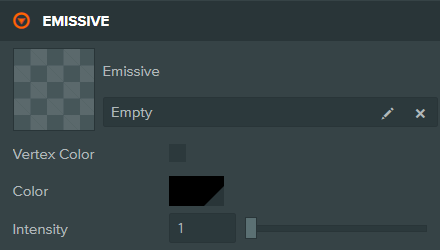
| Property | Description |
|---|---|
| Emissive | Texture defining per-pixel emission color. |
| UV Channel | The UV set used to sample the emissive texture (UV0 or UV1). |
| Color Channel | Which texture channels to read (R, G, B, A, or RGB). |
| Vertex Color | Use vertex colors for emission instead of a texture. |
| Color | The emissive color. If a texture is set, this tints the texture. |
| Intensity | Multiplier for the emissive color. Values above 1 create overbright/bloom effects. |
Opacity
Controls material transparency and alpha testing.
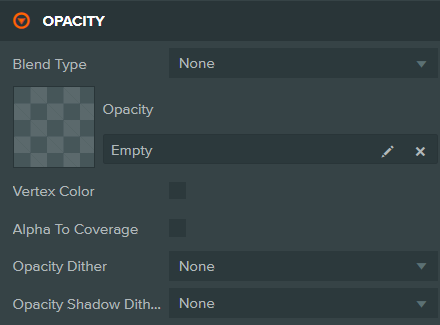
| Property | Description |
|---|---|
| Blend Type | How the material blends with the background: None (opaque), Alpha, Additive, Additive Alpha, Screen, Premultiplied Alpha, Multiply, Modulate 2x, Min, Max. |
| Opacity | Texture defining per-pixel opacity. |
| UV Channel | The UV set used to sample the opacity texture (UV0 or UV1). |
| Color Channel | Which texture channel to read the opacity from (R, G, B, or A). |
| Vertex Color | Use vertex colors for opacity instead of a texture. |
| Intensity | The overall opacity (0-1). 0 is fully transparent, 1 is fully opaque. |
| Alpha Test | Pixels with alpha below this threshold are discarded (0-1). |
| Alpha To Coverage | Enables alpha-to-coverage for order-independent transparency (requires MSAA). |
| Opacity Fades Specular | When enabled, opacity also fades specular reflections. Disable for glass-like materials. |
| Opacity Dither | Dithering pattern for opacity: None, Bayer 8, or Blue Noise. |
| Opacity Shadow Dither | Dithering pattern for shadow opacity. |
| Alpha Fade | Fade factor for materials where Opacity Fades Specular is disabled (0-1). |
Normals
Controls surface detail through normal mapping.

| Property | Description |
|---|---|
| Normals | The normal map texture defining per-pixel surface orientation. |
| UV Channel | The UV set used to sample the normal texture (UV0 or UV1). |
| Bumpiness | Strength of the normal map effect (0-2). 0 has no effect, 1 is standard, 2 is exaggerated. |
Parallax
Adds depth illusion to surfaces using height mapping. Requires a normal map to be set.

| Property | Description |
|---|---|
| Heightmap | The height map texture. White represents high areas, black represents low areas. |
| UV Channel | The UV set used to sample the height texture (UV0 or UV1). |
| Color Channel | Which texture channel to read the height from (R, G, B, or A). |
| Strength | Intensity of the parallax effect (0-2). |
Clear Coat
Adds a secondary specular layer simulating a clear coating (like car paint or lacquered wood).
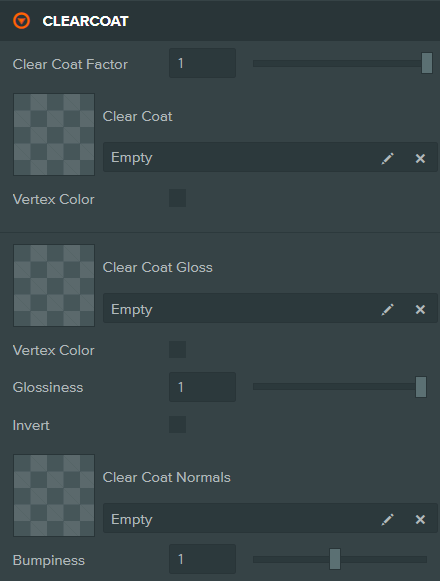
| Property | Description |
|---|---|
| Clear Coat Factor | Intensity of the clear coat layer (0-1). Set to 0 to disable. |
| Clear Coat | Texture defining per-pixel clear coat intensity. |
| UV Channel | The UV set used to sample the clear coat texture (UV0 or UV1). |
| Vertex Color | Use vertex colors for clear coat intensity. |
| Vertex Color Channel | Which vertex color channel to use (R, G, B, or A). |
| Clear Coat Gloss | Texture defining per-pixel clear coat glossiness. |
| Glossiness | Smoothness of the clear coat layer (0-1). |
| Invert | Treat the gloss map as a roughness map. |
| Clear Coat Normals | Normal map for the clear coat layer (e.g., orange peel effect). |
| Bumpiness | Strength of the clear coat normal map (0-2). |
Sheen
Adds soft, velvet-like reflections for fabrics and similar materials.
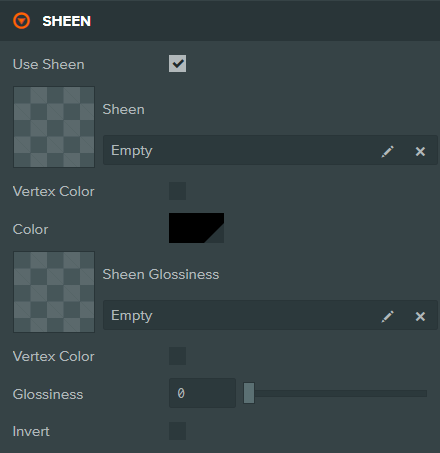
| Property | Description |
|---|---|
| Use Sheen | Enable sheen specular effects. |
| Sheen | Texture defining per-pixel sheen color. |
| UV Channel | The UV set used to sample the sheen texture (UV0 or UV1). |
| Vertex Color | Use vertex colors for sheen. |
| Color | The sheen tint color. |
| Sheen Glossiness | Texture defining per-pixel sheen glossiness. |
| Glossiness | Smoothness of the sheen effect (0-1). |
| Invert | Treat the gloss map as a roughness map. |
Refraction
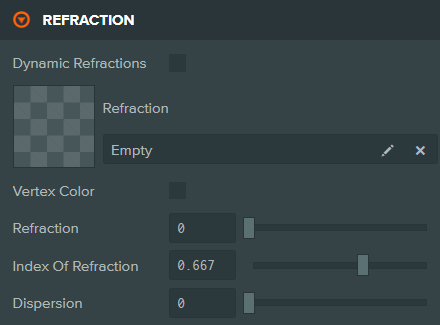
Controls light bending through transparent materials like glass or water.
| Property | Description |
|---|---|
| Dynamic Refractions | Enable real-time refraction using a grab pass. |
| Refraction | Texture defining per-pixel refraction intensity. |
| UV Channel | The UV set used to sample the refraction texture (UV0 or UV1). |
| Vertex Color | Use vertex colors for refraction intensity. |
| Refraction | Amount of light passing through the material (0-1). |
| Index Of Refraction | Controls light distortion. Represented as 1.0 / IOR. Common values: glass ~0.67, water ~0.75. |
| Dispersion | Strength of chromatic aberration (color separation). 0 means no dispersion. |
| Thickness | Texture defining per-pixel material thickness. |
| Scale | Thickness multiplier. Affects how much light is absorbed. |
| Attenuation | Color of light absorption through the material volume. |
| Attenuation Distance | Distance at which light is fully absorbed. |
Iridescence
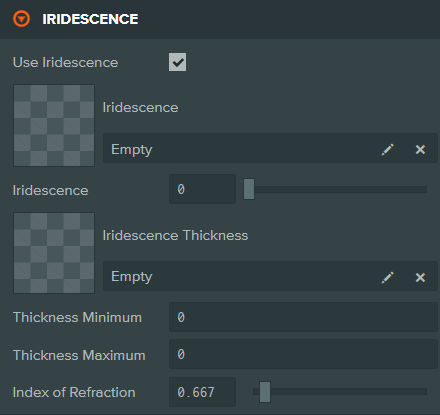
Creates rainbow-like color shifts seen on soap bubbles, oil slicks, or beetle shells.
| Property | Description |
|---|---|
| Use Iridescence | Enable iridescent diffraction effects. |
| Iridescence | Texture defining per-pixel iridescence intensity. |
| UV Channel | The UV set used to sample the iridescence texture (UV0 or UV1). |
| Iridescence | Intensity of the iridescence effect (0-1). |
| Iridescence Thickness | Texture defining per-pixel thin-film thickness. |
| Thickness Minimum | Minimum thin-film thickness in nanometers (nm). |
| Thickness Maximum | Maximum thin-film thickness in nanometers (nm). |
| Index of Refraction | IOR of the thin-film layer. |
Environment
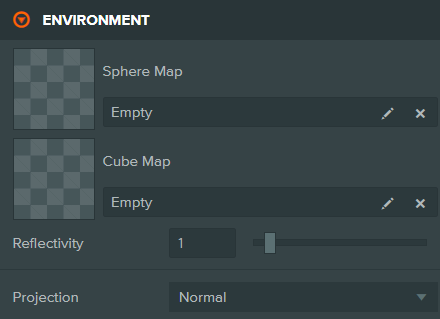
Controls environment reflections using cube maps or sphere maps.
| Property | Description |
|---|---|
| Sphere Map | A sphere map texture for environment reflections (mutually exclusive with Cube Map). |
| Cube Map | A cube map texture for environment reflections. If not set, the scene skybox is used. |
| Reflectivity | How much environment reflection is visible (0-1). |
| Projection | Cube map projection mode: Normal or Box. |
| Center | Center point for box projection (X, Y, Z). |
| Half Extents | Half-size of the box projection volume (W, H, D). |
Lightmap
Applies pre-baked lighting from a lightmap texture.

| Property | Description |
|---|---|
| Lightmap | The lightmap texture containing pre-baked diffuse lighting. |
| UV Channel | The UV set used to sample the lightmap (typically UV1 for unique UVs). |
| Color Channel | Which texture channels to read (R, G, B, A, or RGB). |
| Vertex Color | Use vertex colors for lightmap data instead of a texture. |
Other
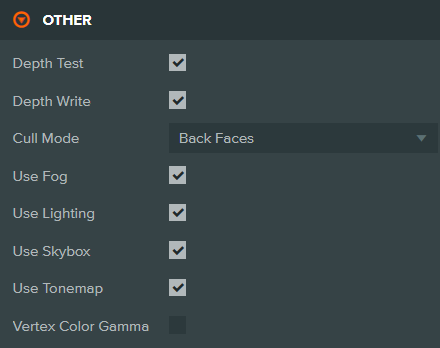
Additional render state controls.
| Property | Description |
|---|---|
| Depth Test | When enabled, pixels are only rendered if they pass the depth test (nothing in front). |
| Depth Write | When enabled, the material writes to the depth buffer. |
| Cull Mode | Which faces to cull: None (render both), Back Faces (default), or Front Faces. |
| Use Fog | Apply scene fog settings to this material. |
| Use Lighting | Apply dynamic lighting to this material. |
| Use Skybox | Use the scene skybox for environment reflections. |
| Use Tonemap | Apply tonemapping to this material. |
| Vertex Color Gamma | Interpret vertex colors as gamma-space (sRGB) values. |
To use this asset in scripts, see Asset Attributes. For programmatic material creation, see the StandardMaterial API.