Start with create-playcanvas
create-playcanvas is the official scaffolding tool for code-based PlayCanvas projects. It creates a Vite and TypeScript project for the PlayCanvas Engine, React, or Web Components and includes a runnable starter scene.
Create a Project
Run the creator with your preferred package manager:
# npm
npm create playcanvas@latest

# pnpm
pnpm create playcanvas@latest

# Yarn
yarn create playcanvas

# Bun
bun x create-playcanvas@latest
Follow the prompts to name the project, choose an authoring format, and select a starter. The creator requires Node.js 22.23.2 or later when using npm, pnpm, or Yarn.
After the files are created, install the dependencies and start the Vite development server:
cd my-playcanvas-project
npm install
npm run dev
Choose a Format
Every format uses TypeScript and includes Vite, ESLint, Prettier, and a production build.
| Format | Use it when |
|---|---|
| Engine | You want to work directly with the playcanvas API. |
| React | You are building a React application with @playcanvas/react. |
| Web Components | You want declarative custom elements from @playcanvas/web-components. |
Choose a Starter
The creator provides the same 12 runnable starters for every format:
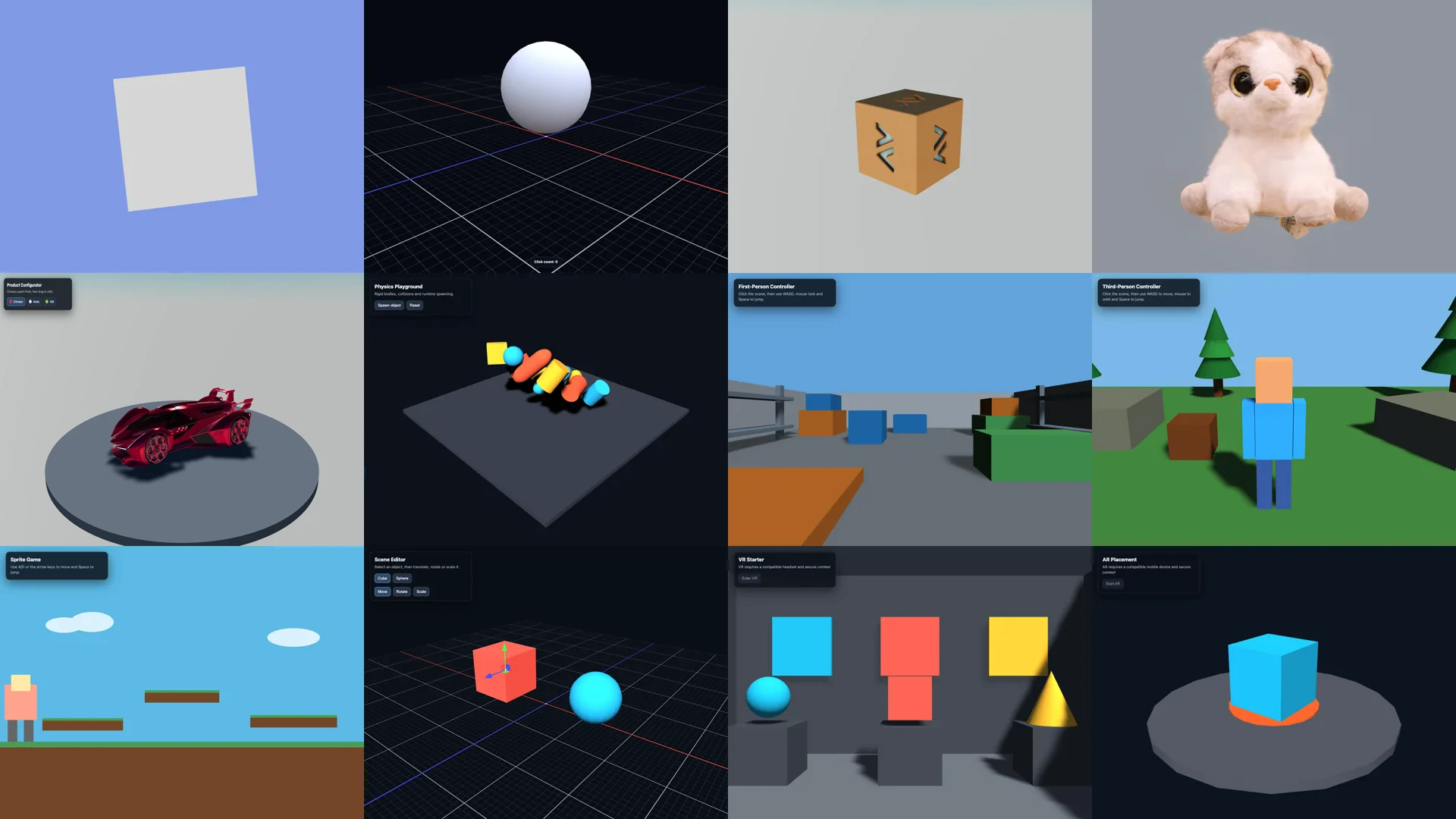
| Category | Starters |
|---|---|
| Basics | Spinning Cube, Interactive Sphere |
| Viewers | Model Viewer, Splat Viewer, Product Configurator |
| Games | Physics Playground, First-Person Controller, Third-Person Controller, Sprite Game |
| Tools | Scene Editor |
| XR | VR Starter, AR Placement |
Choose the starter closest to the application you want to build, run it unchanged first, and then replace its assets and behavior incrementally.
Skip the Prompts
Pass a project name, format, and starter to create a project non-interactively:
npm create playcanvas@latest my-viewer -- -f react -s model-viewer
| Option | Shorthand | Purpose |
|---|---|---|
--format <name> | -f | Choose engine, react, or web-components. |
--starter <name> | -s | Choose one of the starters above. |
--yes | -y | Accept the default Engine and Spinning Cube choices. |
--no-skills | Omit the PlayCanvas Skills included by default. | |
--overwrite | Replace files in a non-empty target directory. | |
--help | -h | Show the current command options. |
--overwrite removes existing files from the target directory. Use a new directory unless you intend to replace its contents.
Included PlayCanvas Skills
New projects include PlayCanvas Skills under .claude/skills/ and .agents/skills/. Compatible AI coding agents can use them to follow PlayCanvas-specific workflows for application setup, assets, scenes, animation, lighting, effects, interfaces, and game state.
Pass --no-skills only when the project does not use an AI coding agent or you manage the skills through another installation route.
Next Steps
- For the direct Engine API, continue with Using the Engine Standalone.
- For React, continue with Building a Scene.
- For Web Components, continue with Building a Scene.