Dev Logs
Development Logs (or Dev Logs for short) are a powerful feature for communicating project updates, milestones, and news with your team and community. They help track progress and keep stakeholders informed about your project's development.
Understanding Dev Logs
What are Dev Logs?
Development logs are project-specific news posts that allow you to:
- Share project updates and milestones
- Communicate with team members and followers
- Document development progress
- Build community around your project
- Showcase new features and improvements
Where Dev Logs Appear
Dev logs are displayed in two locations:
- The Dev log panel in the project's settings on the Project Dashboard: Chronological list of posts related to your project
- The Global Feed: Chronological list of all posts published by the entire community
Writing Your First Dev Log
To create a development log post:
- On the Project Dashboard, select the project's card to open its settings.
- Select Dev log in the panel on the left.
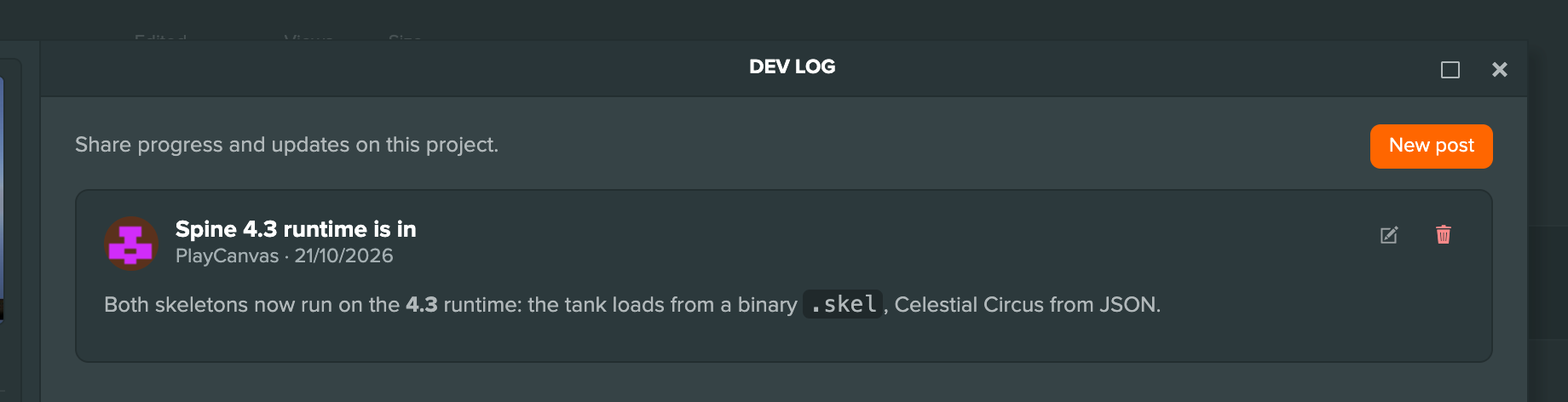
- Select Write the first post, or New post if the project already has posts.
- Enter a Title and the post itself. Markdown is supported.
- Select Post.
The post appears in the list, rendered from its Markdown. Each of your posts has buttons to edit and delete it.
When you create a new project, you are initially blocked from posting to your Dev Log. You must first publish a build of your application before you can post.
Content Ideas
Effective Dev Log posts might include:
- Milestone Announcements: Completed features or phases
- Behind-the-Scenes: Development process insights
- Feature Showcases: New gameplay mechanics or systems
- Art and Asset Updates: Visual progress and artwork
- Technical Deep-dives: Implementation details and solutions
- Team Updates: New members or role changes
- Release Announcements: Version updates or launch news
Dev Logs are a great tool to keep your community informed about your projects - so be sure to use them!