Project Dashboard
The Project Dashboard is the control center for your projects. Open it at playcanvas.com/editor. From Editor 2.35 the dashboard is part of the Editor and replaces the dashboard pages on playcanvas.com.
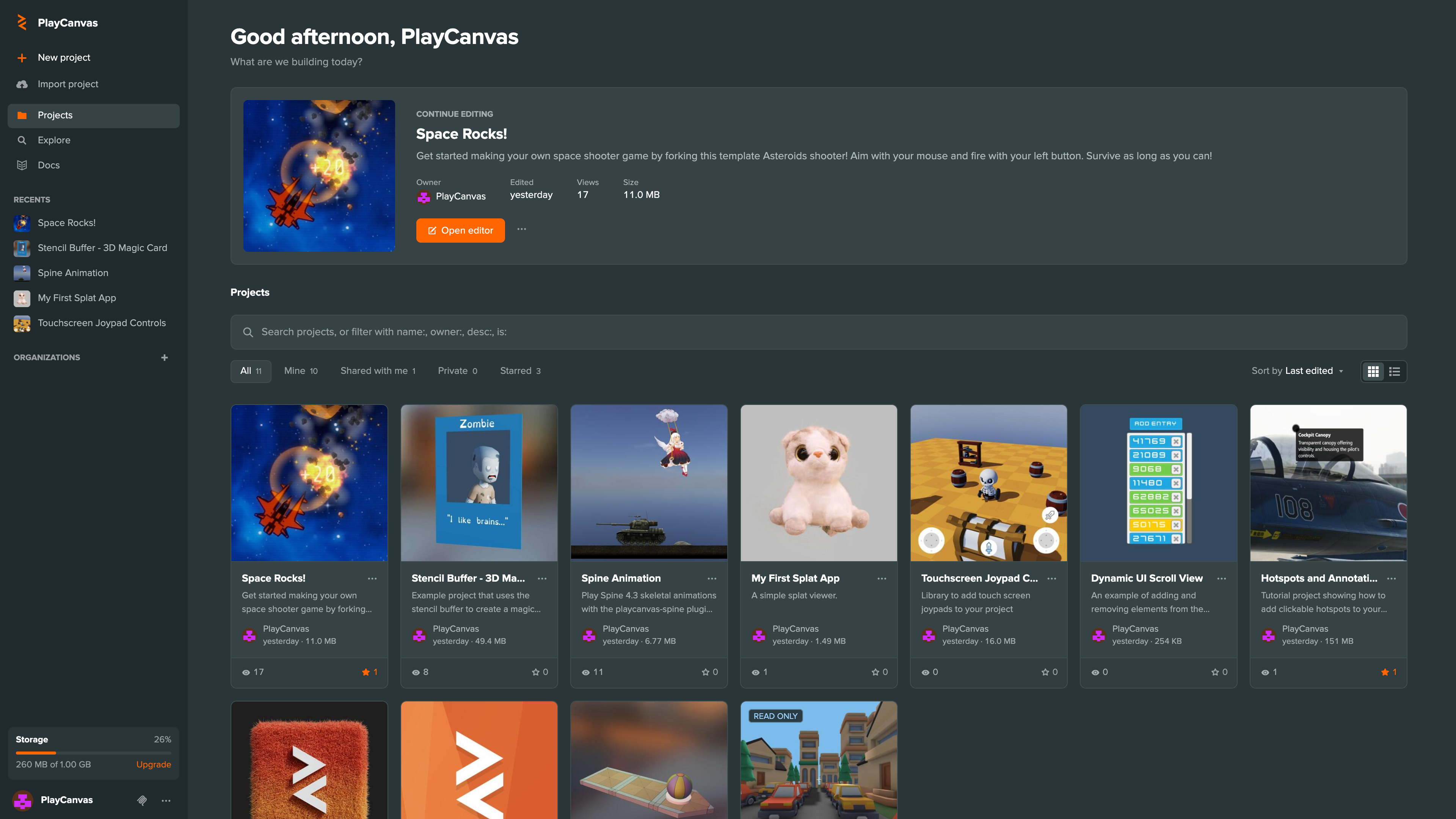
The dashboard runs in its own browser tab and doesn't load the Editor itself, so it opens quickly. It never opens a project inside itself: Open editor switches to the project's own tab, opening it only if it isn't already open. All Projects in the Editor's logo menu, Ctrl/Cmd + O and the Projects breadcrumb in the viewport switch back to the dashboard, and the Editor keeps its scene.
Dashboard Overview
From the Project Dashboard you can:
- Find and filter your projects
- Open a project in the Editor
- Play a project's primary app
- Star, watch, fork, export, transfer and delete projects
- Edit project settings
- Write dev log posts
- Manage team members
- Create and manage organizations
- Connect an AI assistant over MCP
Sidebar
The sidebar on the left can be resized by dragging its edge.
New Project
Select New project to create a project from a starter kit. See Creating Projects.
Import Project
Select Import project and choose an exported project's .zip file to create a project from it. See Backup and Export.
Recents
Recents lists the projects you opened most recently.
Organizations
Organizations lists the organizations you belong to. Select one to see its projects.
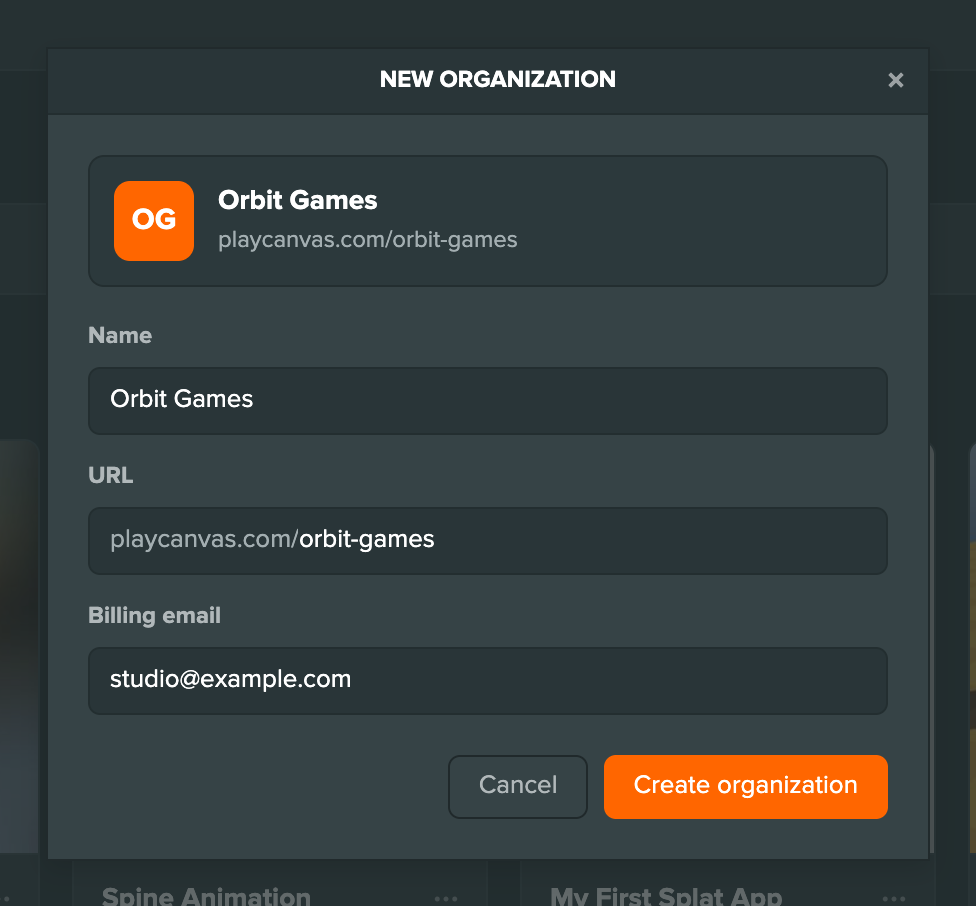
Select + next to Organizations to create one. Enter its Name, its URL on playcanvas.com and a Billing email, then select Create organization. The new organization appears in the sidebar.
An organization's ⋮ menu has Organization details, which opens its account page on playcanvas.com, and Delete organization. Deleting asks you to type the organization's name to confirm. If the organization has projects, they are transferred to your account.
Storage
Storage shows how much of your plan's storage is used. Select it for a breakdown by project.
MCP Server
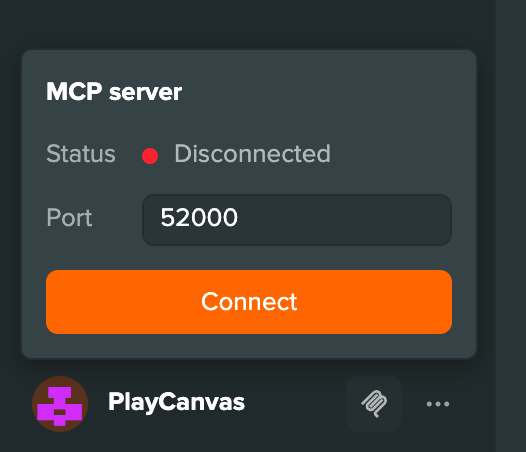
The MCP server button next to your account connects the Project Dashboard to the Editor MCP Server, so an AI assistant can list, create, update and open your projects before any project is open. See Connect from the Project Dashboard.
Continue Editing
The main panel opens with Continue editing, which shows the project you edited last with Open editor and Play buttons, followed by your projects.

Finding Projects
Type in the search box to find projects by name, owner or description. Search tolerates typos. Press / to jump to it, unless a dialog or menu is open.

Narrow a search with these filters:
| Filter | Shows |
|---|---|
name: | Projects whose name matches |
owner: | Projects owned by that user or organization |
desc: | Projects whose description matches |
is:private | Private projects |
is:public | Public projects |
is:starred | Projects you have starred |
is:locked | Projects locked because their owner is over the storage limit |
Use quotes for spaces, for example name:"orbit arena".
Tabs
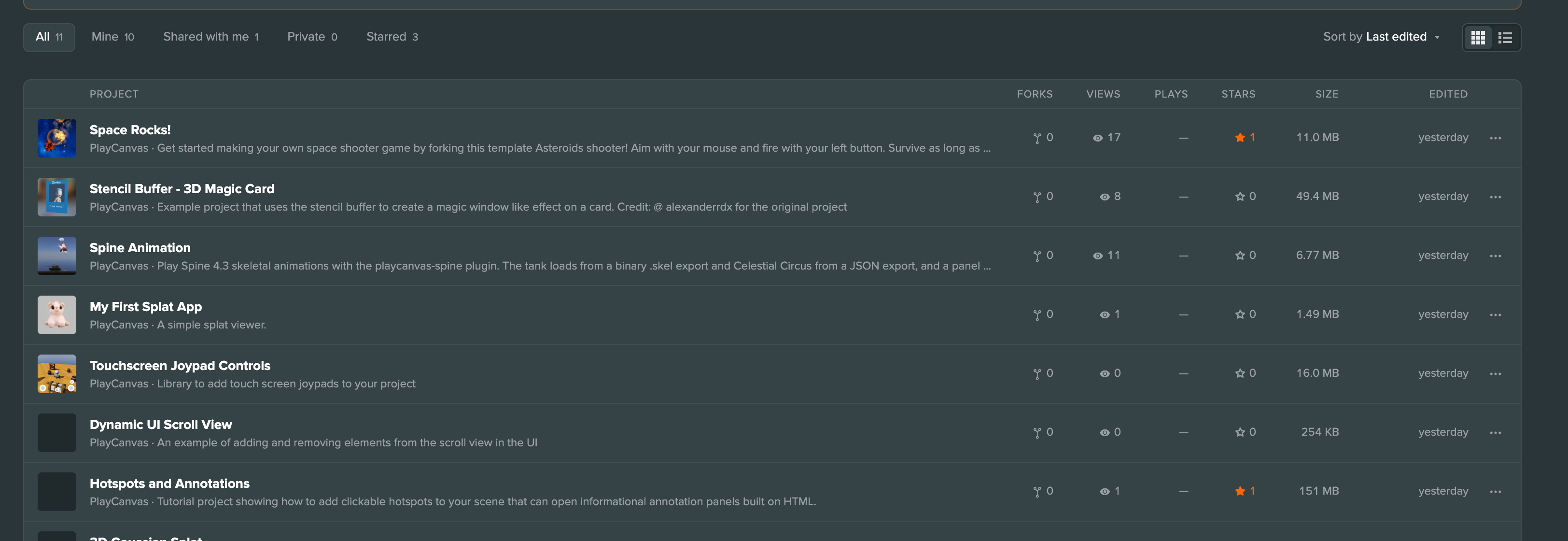
The tabs above the projects filter them further: All, Mine, Shared with me, Private and Starred.
Sort
Sort by orders the projects by Last edited, Created, Name, Most played or Size, Descending or Ascending.
Cards and List View
The buttons next to Sort by switch between Cards and List. Cards show each project's thumbnail, owner and members, the time since it was edited and its size, with its views, plays and stars along the bottom. Projects without a thumbnail show a placeholder. The list view has a row per project with Forks, Views, Plays, Stars, Size and Edited columns.
A project can carry one of these badges:
| Badge | Meaning |
|---|---|
| Private | Only its team can see it |
| Read only | It is shared with you, but you can't edit it |
| Locked | Its owner is over the storage limit |
| No access | You can see it in a list, but you don't have access to it |
| Disabled | It has been disabled by support |
Project Menu
The ⋮ button on a card, a list row or the Continue editing panel opens the project menu. Items you don't have permission for are hidden.
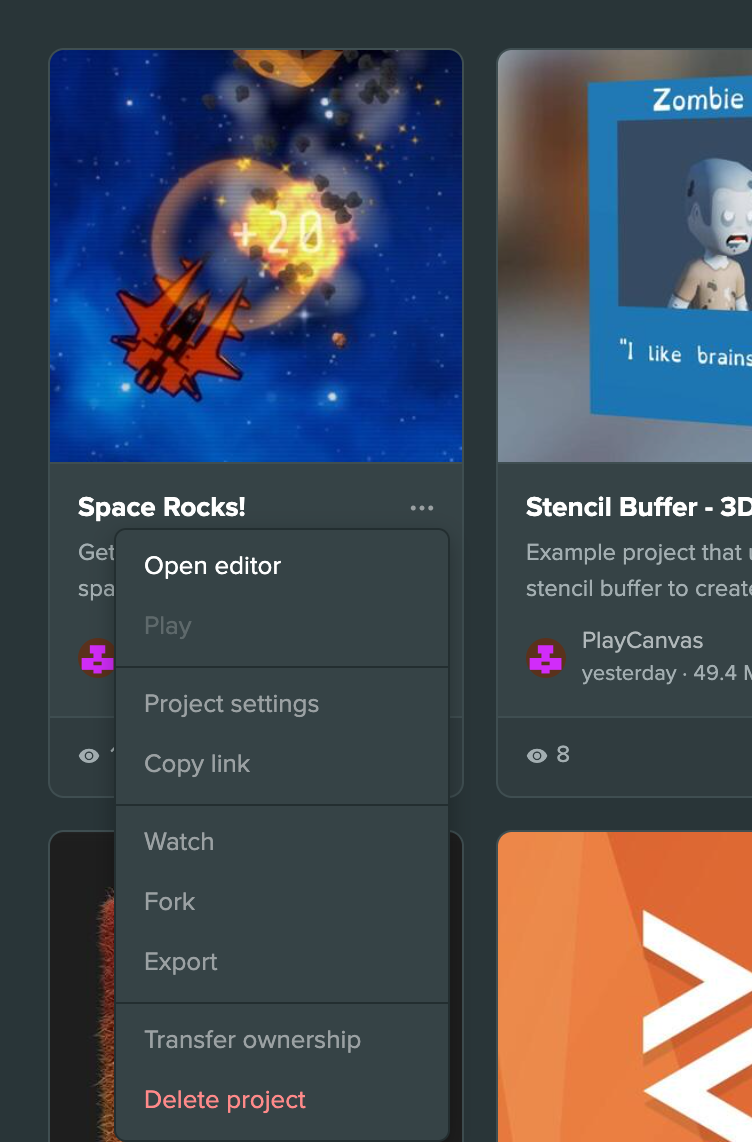
Open Editor
Select Open editor to open the project in the PlayCanvas Editor, in its own tab, where you can:
- Create and edit scenes and entities
- Import and manage assets
- Configure components and settings
- Publish apps
Play
Select Play to launch the project's Primary Build in a new tab. This allows you to:
- Test your latest changes
- Experience your project as end users would
- Share a playable version with others
Project Settings
Select Project settings to open the project's settings. See Project Settings below.
Copy Link
Select Copy link to copy a link to the project to the clipboard.
Watch
Select Watch to show the project's dev log updates in the Global Feed when its Watching filter is enabled. Once you watch a project, the item changes to Stop watching.
Fork
Select Fork to create a copy of the project in your account. The fork dialog shows the project you are forking from, with its name and description filled in, and an owner picker. Change anything you need and select Fork project.
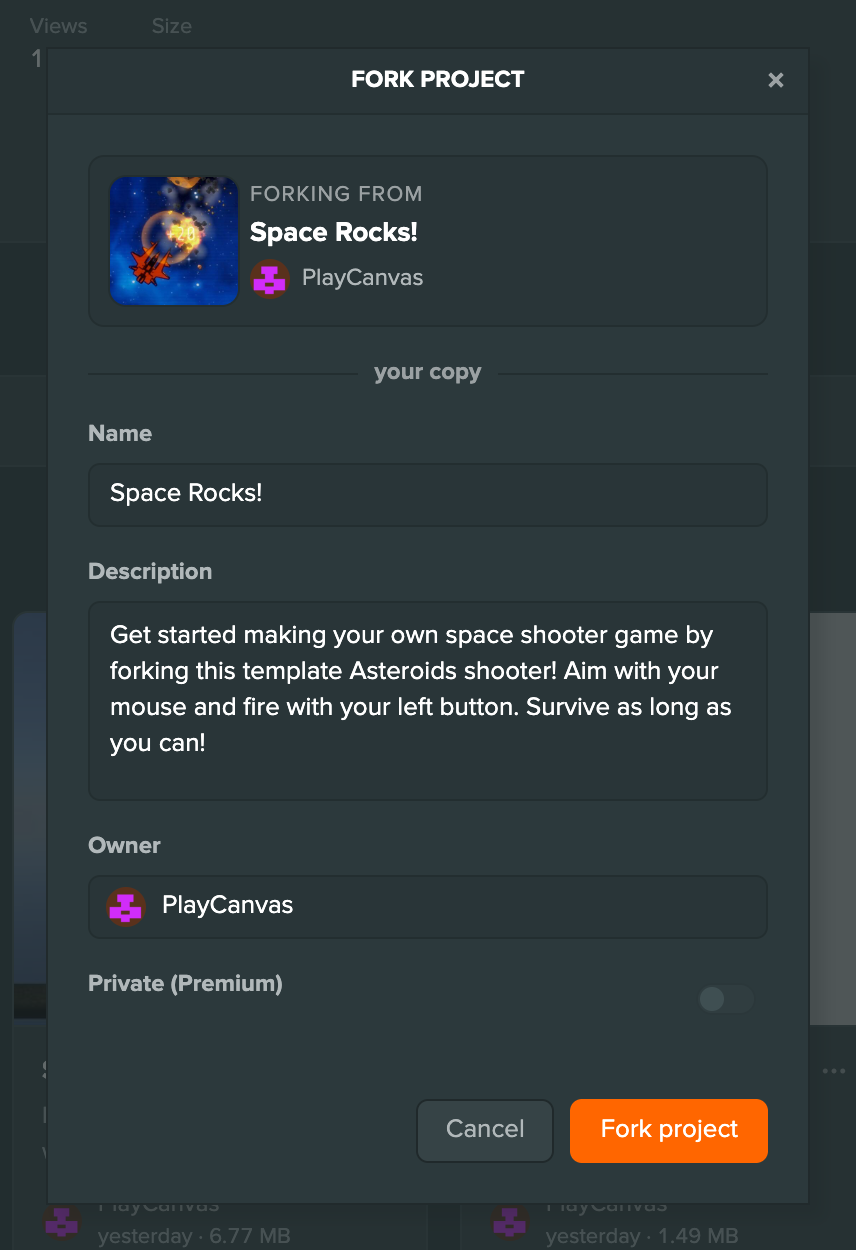
When the fork is ready, select Open project to open it in its own tab, or Not now to stay on the dashboard, where the fork has a new card. See Creating Projects for what a fork copies and when forking is not possible.
Export
Select Export to export the project as an archive. See Backup and Export.
Transfer Ownership
Select Transfer ownership to hand the project to another user or organization. It looks up the username as you type and sends the new owner a request to accept. Projects offered to you show Accept and Decline on their card, and transfers you sent show Cancel transfer. See Ownership and Transfers.
Delete Project
Select Delete project to delete the project. You are asked to confirm first.
Star
Select the star on a card or row to star the project, or select it again to remove the star. Starring helps:
- Show appreciation to the developer
- Contribute to project popularity metrics
The Starred tab and is:starred list the projects you have starred.
Project Settings
Select a project's card, or Project settings in its menu, to open its settings. The panels on the left switch between Project settings, Dev log and Team, and Open editor, Play and Delete Project sit underneath.
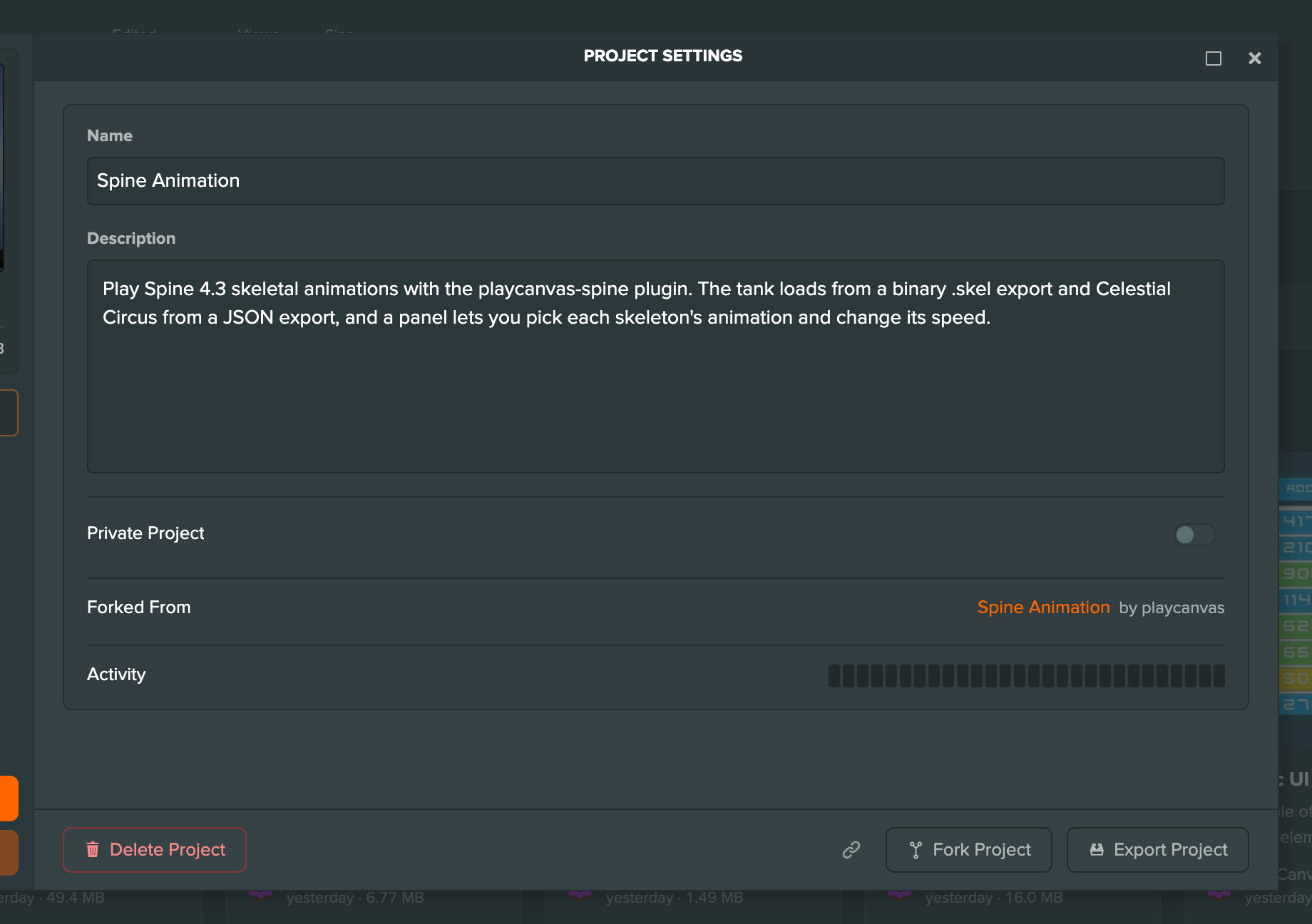
- Project settings shows the name, description and visibility, a Forked From link for forks, an Activity strip covering the last 28 days, and Private Source Assets when the project already uses it. The footer has Copy link, Fork Project and Export Project. See Project Settings.
- Dev log lists the project's posts, and lets you write, edit and delete them. See Dev Logs.
- Team lists the people on the project and their access. See Team Management.
A locked project shows only Project settings. If you are an admin of an organization but not a member of one of its projects, that project shows only Team, where you can assign yourself as an admin.